Talking to her
Three front doors. They share one Waffle underneath — the same conversations, the same memory, the same permissions. Only the surface changes.
The terminal
Section titled “The terminal”waffle chatThe main one, and the only one that gets the full experience. Keyboard-first, no mouse needed.
Worth knowing straight away:
| Key | Does |
|---|---|
Enter |
Send |
Alt+Enter |
New line without sending |
/ |
Open the command list |
Escape |
Cancel the turn she is working on |
Ctrl+C |
Cancel; twice when idle to exit |
PageUp / PageDown |
Scroll back through the conversation |
Type a message while she is already working and it gets queued, not dropped — it sends itself when she finishes. Send again and the queued message is replaced rather than stacked.
Commands worth learning, in rough order of usefulness:
/help— the full list, any time./new— start a fresh conversation; the old one is kept, not deleted./sessionsand/resume— go back to an earlier conversation./modeland/models— see which model she is using and switch. The choice sticks to this conversation only./status— session, model, profile, sandbox, and workspace at a glance./permissions— exactly what she is allowed to do right now. Worth checking before handing her something significant./usage— what you have spent.
Continue where you left off without opening the picker:
waffle chat --continuewaffle chat --profile reviewer # a more restricted setupTelegram
Section titled “Telegram”For when you are not at the machine. Same agent, same memory, phone-shaped.
Requires the background service running (waffle serve) and a one-time pairing
(see Bringing her home). Conversations there
are the same sessions you see in /sessions at the terminal.
Best for: quick questions, kicking off a job, receiving scheduled results. Poor for: anything involving reading a lot of output.
Waffle Desk
Section titled “Waffle Desk”A browser view, on the machine itself, at http://127.0.0.1:8422/desk/.
It is off by default and cannot switch itself on — waffle setup offers it,
or you set enabled = true under [dashboard] in the config. Then run waffle serve and open the address.
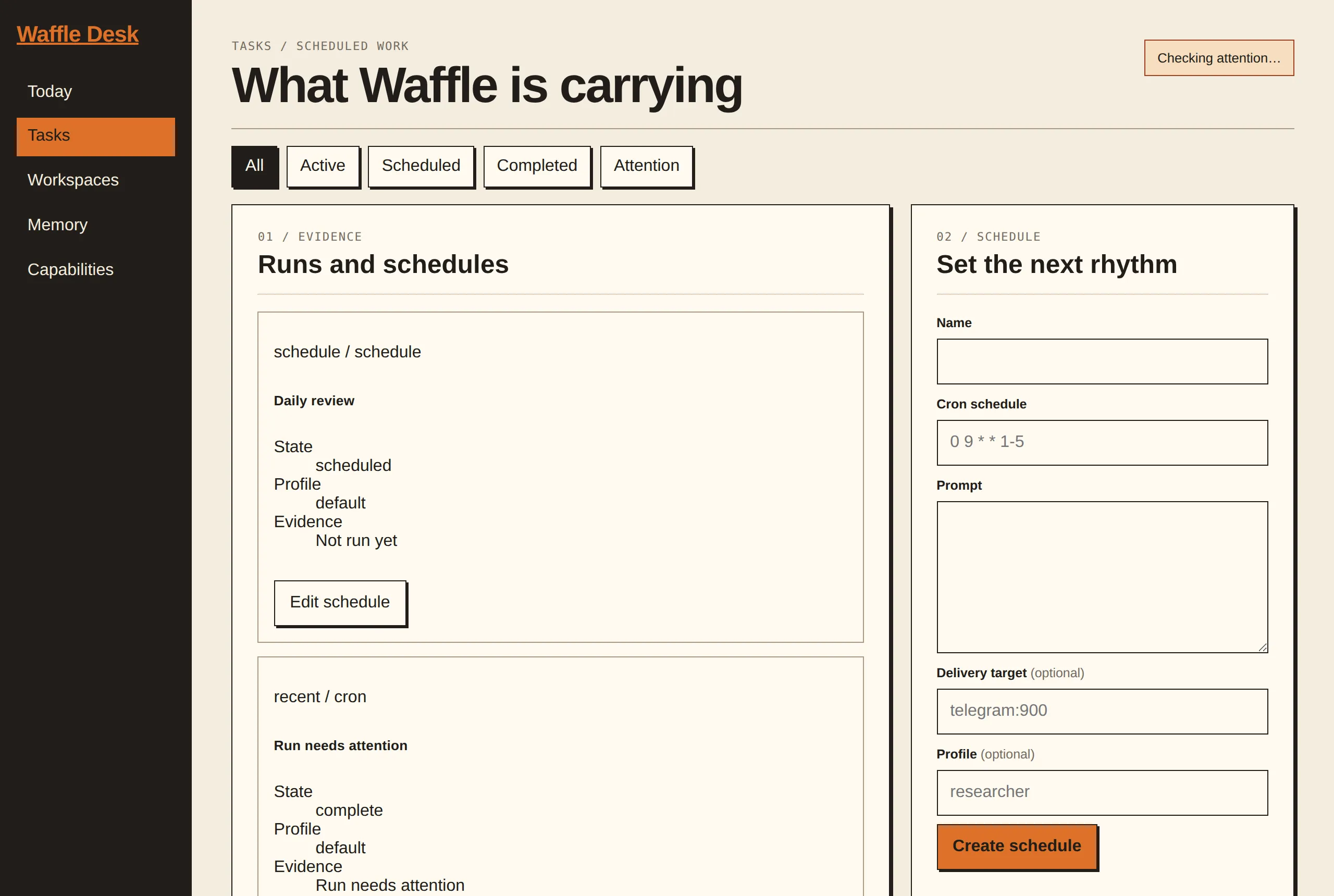
Desk is a companion to the terminal, not a replacement. What it is genuinely better at:
- Seeing state — scheduled tasks, workspaces, and what ran recently, laid out rather than paged through.
- Browsing memory — searching notes and past conversations is much nicer with a screen than with a scrollback buffer.
- The setup checklist — a panel showing what is configured, missing, or wrong, which is the fastest way to answer “why won’t she answer me”.
It only listens on your own machine. It is not exposed to your network, and the address does not change.
One conversation at a time
Section titled “One conversation at a time”A single session cannot be driven from two places at once. If Desk says the chat session is active, your terminal has it — finish or close there, then refresh. This is deliberate: it is what stops two clients writing conflicting turns into the same conversation.
Which should you use?
Section titled “Which should you use?”Terminal for real work. Telegram when away from the desk. Desk when you want to look at something rather than talk to her.
Nerd corner: How it fits together — direct mode versus the service socket, and why Desk shares the status listener.